
JNR Falcon Pro 28k Not Working? 7 Common Problems and Fixes

This guide is the definitive, model-specific troubleshooting resource you’ve been searching for. We’ll walk you through the most common problems and provide clear, step-by-step fixes to get your device working perfectly again. Before we dive into the fixes, if you want to understand every feature of your device to get the best performance, check out our ultimate guide and review of the JNR Falcon Pro 28k.
Common JNR Falcon Pro 28k Problems & Fixes
When your JNR Falcon Pro 28k isn’t performing as expected, it’s usually due to one of a few common, easily solvable issues. As the creators of this device, backed by years of engineering expertise in vape technology, we know it inside and out. Here’s our expert breakdown of the most frequent problems and how to fix your JNR Falcon Pro 28k quickly.
| Problem | Common Causes | Solutions |
|---|---|---|
| Not Hitting / No Vapor | Dead battery, blocked airflow, or flooded atomizer. |
|
| Blinking Indicator Light | Low or completely dead battery. |
|
| Not Charging | Dirty charging port, incompatible power source, or faulty cable/adapter. |
|
Advanced Troubleshooting for Your Disposable Vape
While the Falcon Pro 28k is a unique device, some principles of disposable vapes still apply. For a deeper dive into its features, check out our ultimate guide and review of the JNR Falcon Pro 28k. Here’s how to troubleshoot your JNR Falcon Pro 28k using broader knowledge.
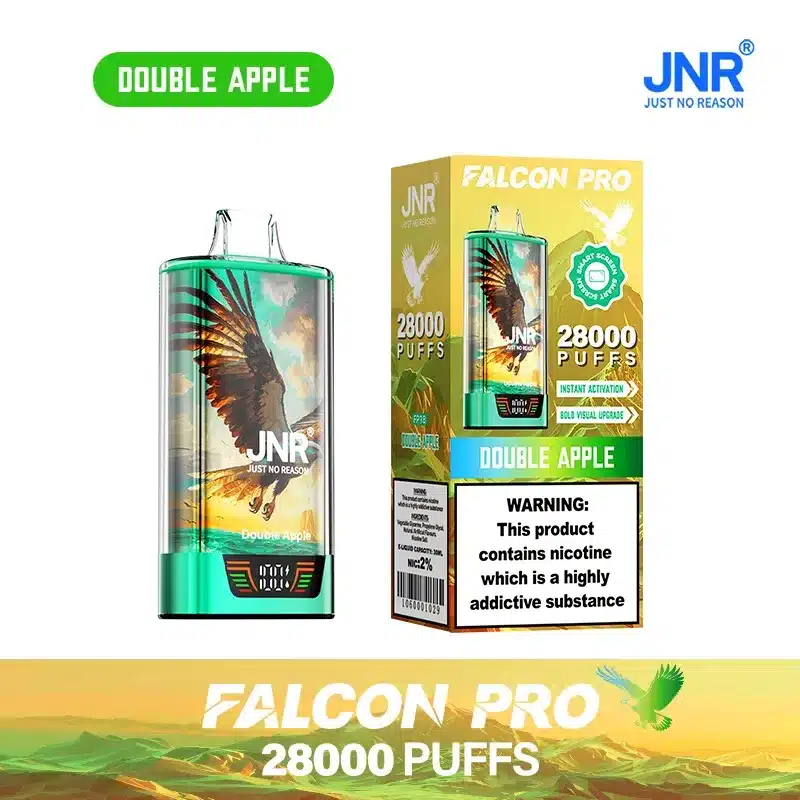
Why Your Disposable Pen is Not Working (Even When It’s New)
It’s rare, but sometimes a brand-new disposable pen is not working right out of the box. This can be incredibly frustrating, but there’s often a simple explanation.
* Initial Activation: Some devices have a sticker over the airflow sensor or charging port for shipping. Double-check that all protective coverings have been removed.
* Dead on Arrival: Although we have rigorous quality control, a battery can sometimes fully discharge during shipping. Try charging it for a full hour before its first use. If it still doesn’t work, contact our customer support.
How to Fix a Disposable Vape That Won’t Hit
If you’re wondering how to fix a disposable cart that won’t hit, the principles are similar for an all-in-one device like the Falcon Pro 28k. The core issue is usually a lack of power or airflow.
* Power: As a rechargeable device, power is rarely the final problem unless the battery has reached the end of its life cycle. Always default to charging it first.
* Airflow: A common user error is accidentally covering the airflow holes with a finger while drawing. Ensure your grip allows air to flow freely through the base of the device. This is a key reason why your dispo isn’t hitting.
Understanding the Lifespan of Your Rechargeable Vape
The JNR Falcon Pro 28k’s high puff count is made possible by its rechargeable battery. Understanding this system is key to a great experience and is the primary reason a rechargeable disposable vape not working is often a simple fix.
Is the Battery Dead Even if the Liquid is Full?
This is a frequent question from users new to high-puff-count rechargeable disposables. You might see a disposable vape battery dead but full liquid, and it can be confusing.
* The System Explained: The massive 28,000 puff count is based on the total e-liquid in the tank. The battery is not designed to last for all 28,000 puffs on a single charge. It’s designed to be recharged multiple times until the e-liquid is fully used. So, if the device stops working but you know there’s liquid left, it simply needs to be recharged.
How to Maximize Your JNR Falcon Pro 28k’s Lifespan
To get the most out of your device and ensure your disposable vape is not lasting long isn’t an issue, follow these best practices.
* Charging Habits: For optimal battery health, industry best practices recommend avoiding letting the battery drain completely before recharging. Charge it when you notice vapor production starting to weaken. Don’t leave it plugged in overnight.
* Storage: Store your Falcon Pro 28k at room temperature and out of direct sunlight. Extreme temperatures can affect battery health and e-liquid viscosity.
* Puffing Style: Take smooth, consistent puffs of 2-3 seconds. 10 Motives explains that taking many short, hard puffs can prevent the wick from re-saturating with e-liquid, causing the coil to burn the dry cotton and result in a burnt taste.
Frequently Asked Questions
Why is my JNR Falcon Pro 28k blinking?
A blinking light on your JNR Falcon Pro 28k almost always indicates that the battery is depleted and needs to be recharged. It’s a built-in safety feature. Simply connect it to a USB-C charger, and the light should turn solid or pulse to indicate it’s charging.
How do I fix a JNR Falcon Pro 28k that’s not hitting?
First, ensure it’s fully charged. If it’s charged and still not hitting, check for blocked airflow holes at the base of the device and clear them gently. Also, make sure you are not accidentally covering these holes with your fingers while you draw. If these steps don’t work, let the device sit upright for 10-15 minutes to correct any potential e-liquid flooding.
What do I do if my new disposable vape is not working?
If your new disposable vape isn’t working, first check for and remove any protective stickers, especially over the airflow sensor or charging port. Then, give it a full charge for at least 30-60 minutes, as the battery may have discharged during shipping. If it still fails to work, it may be a rare manufacturing defect, and you should contact customer support.

